 Waqt
Prayer times and the Quran, on your computer.
Accurate prayer times for where you are, adhan alerts that reach you at your desk, and the Quran with recitation and almost 500 translations. No account, no ads.
Windows 10 (1809) and 11 · macOS 12 Monterey or later, Apple Silicon and Intel · 64-bit Linux. Install help for Mac and Linux.
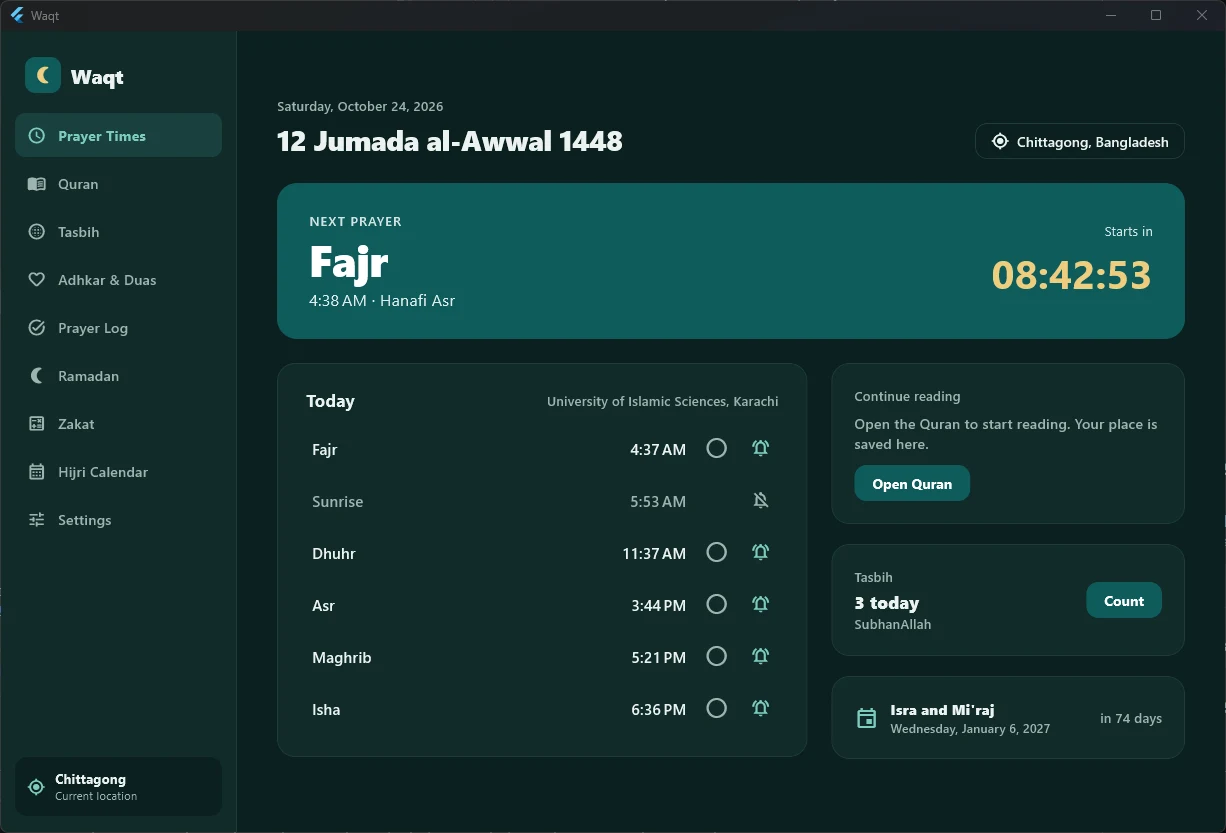
Everything for your daily worship.
Built for people who spend their day at a computer and don't want to miss a prayer.
Accurate prayer times
Uses your current location and your country's calculation method: Karachi, Umm al-Qura, MWL, ISNA, Diyanet, JAKIM and more. Hanafi and standard Asr.
Adhan alerts
Notifications at prayer time with an early reminder, plus your own adhan recording if you like.
Prayer break mode
A gentle full-screen reminder at adhan time that pauses your music and videos. Snooze or mark it prayed.
The Holy Quran
Uthmani text, 8 reciters with ayah-by-ayah playback, bookmarks and reading plans to finish the Quran.
500 translations
11 built in, and a library of almost 500 more in nearly 100 languages. Download once and read offline.
Prayer log and Qada
Tick off each prayer and see your week. Missed prayers are added to Qada automatically.
Ramadan mode
Suhoor and iftar countdowns, reminders and a fasting tracker. Turns on by itself when Ramadan starts.
Tasbih and Adhkar
A counter with the after-prayer sequence, and morning, evening and after-prayer adhkar with meanings.
Zakat and Hijri calendar
An offline Zakat calculator, a Hijri calendar with Islamic events, calendar export and a printable timetable.
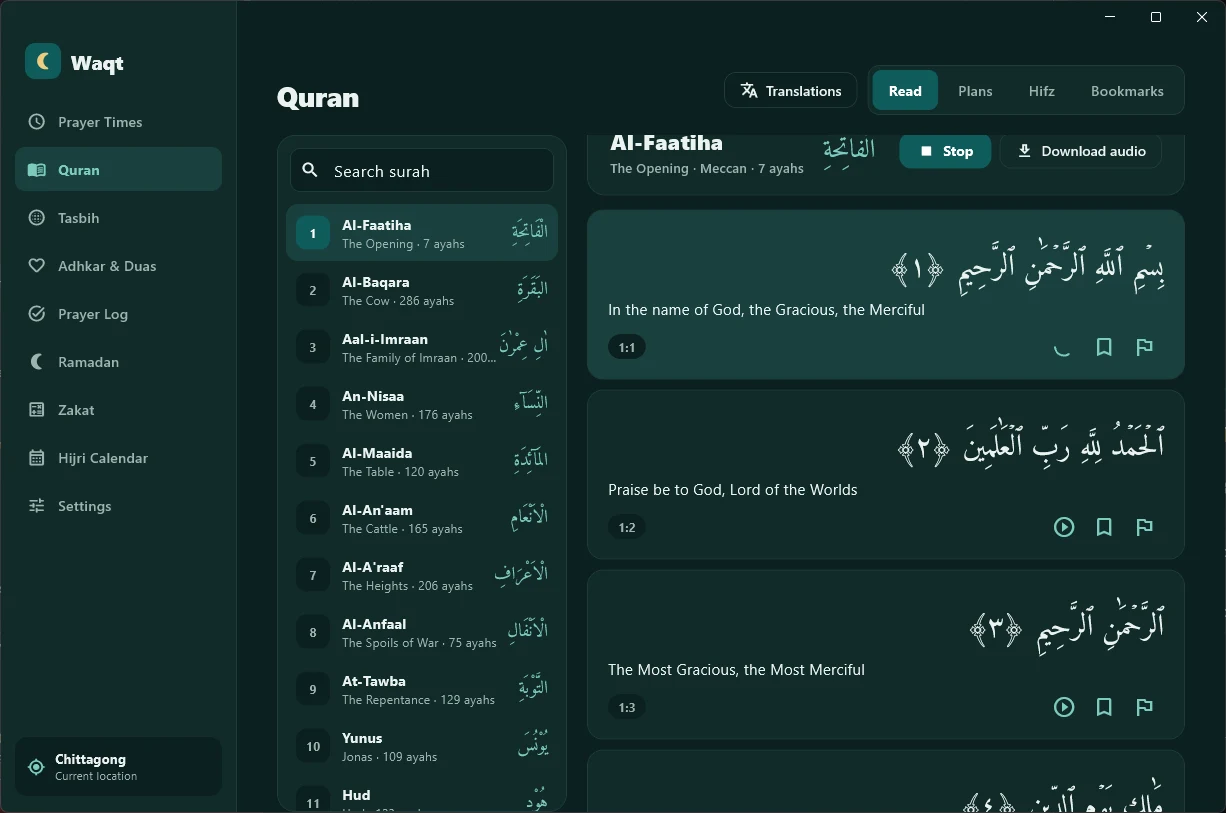
Read and listen, ayah by ayah.
Clear Arabic in the Amiri Quran font, with the translation under every ayah.
- Recitation follows along ayah by ayah
- Mishary Alafasy, Abdul Basit, Husary, Minshawi, Sudais and more
- Hifz mode: repeat, hide words and track what you've memorised
- Everything downloaded works offline
In your language.
The whole app, not just the Quran, in 12 languages. Arabic, Urdu and Persian are laid out right to left.
Installing on a Mac.
Waqt for Mac is downloaded from this site rather than the App Store, so macOS asks you to confirm it the first time you open it. It takes a minute, once.
Download
Download Waqt.dmg and open it.
Drag to Applications
In the window that opens, drag the Waqt icon onto the Applications folder.
Open it the first time
macOS 15 Sequoia and newer- Open Waqt from Applications, then click Done on the warning.
- Open System Settings → Privacy & Security.
- Scroll down and click Open Anyway next to Waqt.
Right-click Waqt in Applications, choose Open, then Open again.
xattr -dr com.apple.quarantine /Applications/Waqt.app, then open Waqt again.Installing on Linux.
For 64-bit PCs. Works on Ubuntu 22.04 and newer, Debian 12, Linux Mint 21, Fedora 38, Pop!_OS and most other distributions from 2022 onwards.
Questions.
Is Waqt free?
Yes. No ads, no subscription and no in-app purchases.
Do I need an account?
No. Open it and it works. Your prayer log and settings stay on your PC.
Does it work without the internet?
Prayer times are calculated on your computer, so they work offline. The internet is only needed to download recitations and extra translations, once.
My computer has no GPS. Will it still work?
Yes. If your computer can't share its location, Waqt finds your approximate city from your internet connection and asks you to confirm it, or you can choose your city yourself.
The times are a minute or two off from my mosque.
Choose your local calculation method in Settings, or add or subtract minutes for each prayer to match your mosque exactly.
Is there a Mac version?
Yes. Download it here. It runs on macOS 12 Monterey or later, on Apple Silicon and Intel Macs. See how to install it.
Is there a Linux version?
Yes, for 64-bit PCs: a .deb for Ubuntu, Debian and Mint, and an AppImage for everything else. See how to install it. Prayer times use your internet location, which you confirm, or a city you choose.
Why does my Mac warn me when I open Waqt?
Apple shows that warning for any app that isn't distributed through the App Store or registered with Apple's paid developer program. Waqt has no ads, no tracking and no account, and everything stays on your Mac. Confirm it once as shown above and it opens normally after that.
Never miss a prayer at your desk.
Free for Windows 10 and 11, Mac and Linux.